
Members Cars Instruction for Use
If you want to show off your pride and joy you can do so on our Member’s Cars Gallery.
If don’t already have a login to the WFTR website send your details to mail @ wftr.co.uk and an account will be set up for you.
The welcome email will have a link for you to set up your password. After that you are ready to go.
You will see your profile page (that you can edit if you wish):

In the menu bar on the left select All Posts then Add a New Post:
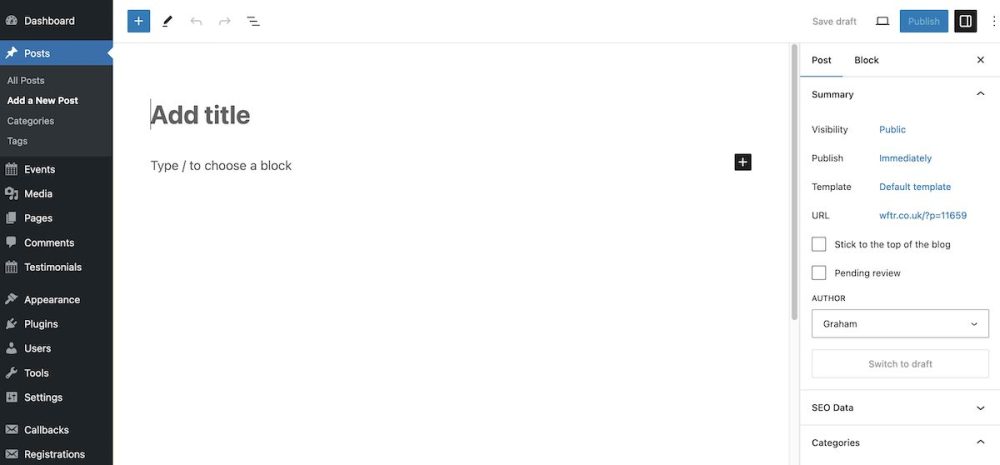
First add a title to the page.
Now click the small black box with the cross on the right of the editing pane. You will see the editing blocks.
Choose the paragraph option and write the descriptive words
If you want to add images click on the black square with the cross and select the image block:

You will probably need the Upload option
Once uploaded and added to the page you can edit the image and add a caption if you want.
Before you publish the page there are some important things to do:
- Click the Post tab on the right.
- In the category section select Member’s Cars.
- Add a featured image (bottom right panel). This will display at the top of your page and on the members gallery.
Once everything is done click on the blue Publish button. You will be asked to confirm publication.
The page will refresh and you have the option to edit your post or click on the View Post link at the top of the page.
